
All Energy Monitoring & Control

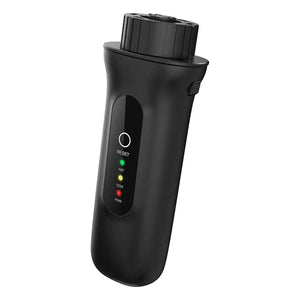 Solis S5-WiFi-ST WiFi Data Logger 4-Pin for up to 10 Inverters£30.45inc VAT
£25.38exc VAT
Solis S5-WiFi-ST WiFi Data Logger 4-Pin for up to 10 Inverters£30.45inc VAT
£25.38exc VAT
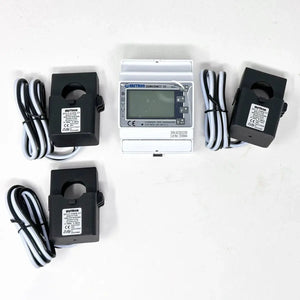 Eastron SDM630MCT Three Phase Energy Meter with CT ClampsFrom£78.75inc VAT
£65.63exc VAT
Eastron SDM630MCT Three Phase Energy Meter with CT ClampsFrom£78.75inc VAT
£65.63exc VAT
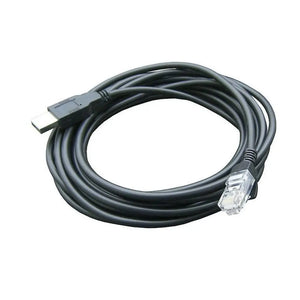 Pylontech RS232 to USB Battery Cable£30.45inc VAT
£25.38exc VAT
Pylontech RS232 to USB Battery Cable£30.45inc VAT
£25.38exc VAT
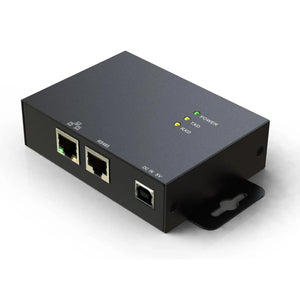 Web Server II Modbus 5Vdc Monitor for Hybrid Inverters£72.45inc VAT
£60.38exc VAT
Web Server II Modbus 5Vdc Monitor for Hybrid Inverters£72.45inc VAT
£60.38exc VAT
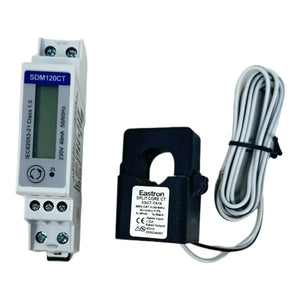 Single Phase DIN Rail Energy Meter 40mA CT Modbus£61.95inc VAT
£51.63exc VAT
Single Phase DIN Rail Energy Meter 40mA CT Modbus£61.95inc VAT
£51.63exc VAT
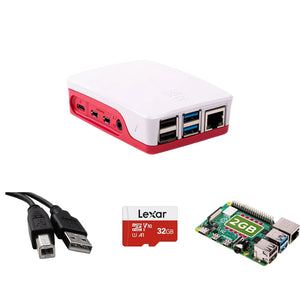 Solar Assistant Monitor for Growatt SPF Inverters£187.95inc VAT
£156.63exc VAT
View all 43 in Energy Monitoring & Control →
Solar Assistant Monitor for Growatt SPF Inverters£187.95inc VAT
£156.63exc VAT
View all 43 in Energy Monitoring & Control →

Solar Assistant Comms Cable Set | Deye SunSynk Sol-Ark
RS232
£38.85
Skip to product information


Solar Assistant Comms Cable Set | Deye SunSynk Sol-Ark
- Vendor
- SunSynk
- SKU
- 002735
- Availability
- In stock
- Weight
- 0.08 kg
£38.85inc VAT £32.38exc VAT
Delivery from £3.99 to mainland UK 3 to 5 working days. Or collect free from Coventry.All delivery costs
Secure checkout
Talk to our sales team
Product Description
This cable set connects Deye, SunSynk and Sol-Ark inverters to Solar Assistant for live monitoring. It includes three cable types: an RS485 USB cable, an RS232 USB cable and a dedicated RJ45 splitter built for the Deye/SunSynk/Sol-Ark BMS port. Each cable uses original CP2102 or FTDI chips for reliable compatibility across operating systems.
Key features for solar assistant sunsynk and deye setups
- RS485 USB cable, connects to Solar Assistant via the RS485 port, useful when the Wi-Fi/RS232 port is already used by the data logger. The RS485 port sits inside the inverter, so check availability before ordering.
- RJ45 splitter, designed specifically for the 2-in-1 BMS port on Deye, SunSynk and Sol-Ark inverters, correctly separating CAN (pins 4-5) and RS485 (pins 1-3). Standard Ethernet splitters swap or duplicate pins and are not compatible.
- RS232 USB cable, connects via the Wi-Fi/RS232 port, USB to DB9 RS232, 1m shielded, original CP2102 chip. Also compatible with Growatt SPH inverters.
- Pace BMS / BSL battery USB cable, USB to RJ11 RS232, 1.8m, original FTDI chip, reads all batteries in a bank from a single cable.
Applications
Used wherever a Deye, SunSynk or Sol-Ark inverter needs to feed live data into Solar Assistant, whether that's inverter monitoring or reading a compatible battery bank through the Pace BMS cable.
Supported batteries for the Pace BMS cable
BSL Bull, Hubble AM series, Hubble X-101, Revov R100/B100, Kodak BL3.68, Revov R9/C8, PowerUp by ESS LiFePO4, Greenrich, SOK server rack, SunSynk SSLB, VOLTA Stage 1.
Installation notes
Check which communication port on your inverter is free before buying. The RS485 port is inside the inverter and needs the cover removed to reach it. Power the inverter down before connecting or disconnecting any communication cable.
What's in the box
- RJ45 connector for Deye/SunSynk/Sol-Ark (pin 1-5)
- CAN RJ45 socket (pin 4-5)
- RS485 RJ45 socket (pin 1-3)
- RS485 USB cable
- RS232 USB cable (1m, shielded)
More in Energy Monitoring & Control
 Solis S5-WiFi-ST WiFi Data Logger 4-Pin for up to 10 Inverters£30.45inc VAT
£25.38exc VAT
Solis S5-WiFi-ST WiFi Data Logger 4-Pin for up to 10 Inverters£30.45inc VAT
£25.38exc VAT
 Eastron SDM630MCT Three Phase Energy Meter with CT ClampsFrom£78.75inc VAT
£65.63exc VAT
Eastron SDM630MCT Three Phase Energy Meter with CT ClampsFrom£78.75inc VAT
£65.63exc VAT
 Pylontech RS232 to USB Battery Cable£30.45inc VAT
£25.38exc VAT
Pylontech RS232 to USB Battery Cable£30.45inc VAT
£25.38exc VAT
 Web Server II Modbus 5Vdc Monitor for Hybrid Inverters£72.45inc VAT
£60.38exc VAT
Web Server II Modbus 5Vdc Monitor for Hybrid Inverters£72.45inc VAT
£60.38exc VAT
 Single Phase DIN Rail Energy Meter 40mA CT Modbus£61.95inc VAT
£51.63exc VAT
Single Phase DIN Rail Energy Meter 40mA CT Modbus£61.95inc VAT
£51.63exc VAT
 Solar Assistant Monitor for Growatt SPF Inverters£187.95inc VAT
£156.63exc VAT
Solar Assistant Monitor for Growatt SPF Inverters£187.95inc VAT
£156.63exc VAT


